Since 2006-06-06

12 January 2007
探していた WinCVS1.2「表示位置の変更」コンボボックスの項目削除方法 があった
[cvs-jp-info 590] Re: Q: WinCVS1.2「表示位置の変更」コンボボックスの項目削除方法
http://www.wincvs.org/newfaq.htm#clean_combos
It's nice that WinCvs remembers all the entries I ever made into a combobox, but how can I purge the by-now obsolete items ?
In recent releases (1.3.x) you could simply press the [DEL] key, when on the item you want to delete. Removing the items from earlier versions requires some registry hacking as described in the following post from Bo Berglund regarding the combobox used for browse locations:
It is a bit tricky since you have to do it in the registry, but if you are willing to do it here is a stepthrough:
0) Close WinCvs if it is running!
1) Open RegEdit and go to HKEY_CURRENT_USER\Software\WinCvs\wincvs\CVS settings
2) open item P_BrowserLocs. It is a set of null terminated strings with the list of locations.
3) In the hex window mark the string you want to delete starting with the drive letter and ending with the NULL char.
4) Hit the delete button.
5) Edit the first byte in the item by decrementing by one (for each string deleted)
6) Click the OK button
7) Start WinCvs again and check that the offending location is gone.
Be careful when editing the registry!
http://www.wincvs.org/newfaq.htm#clean_combos
It's nice that WinCvs remembers all the entries I ever made into a combobox, but how can I purge the by-now obsolete items ?
In recent releases (1.3.x) you could simply press the [DEL] key, when on the item you want to delete. Removing the items from earlier versions requires some registry hacking as described in the following post from Bo Berglund regarding the combobox used for browse locations:
It is a bit tricky since you have to do it in the registry, but if you are willing to do it here is a stepthrough:
0) Close WinCvs if it is running!
1) Open RegEdit and go to HKEY_CURRENT_USER\Software\WinCvs\wincvs\CVS settings
2) open item P_BrowserLocs. It is a set of null terminated strings with the list of locations.
3) In the hex window mark the string you want to delete starting with the drive letter and ending with the NULL char.
4) Hit the delete button.
5) Edit the first byte in the item by decrementing by one (for each string deleted)
6) Click the OK button
7) Start WinCvs again and check that the offending location is gone.
Be careful when editing the registry!
17 December 2006
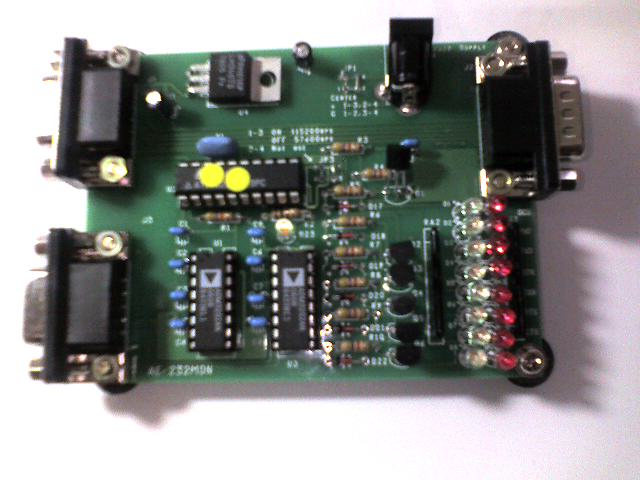
AKI-RS232Cラインモニターキット
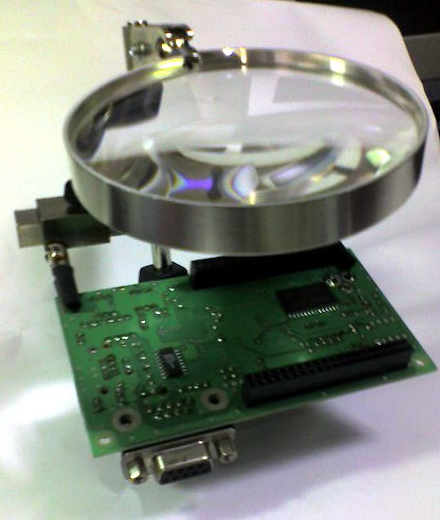
ハンダ付け工具
太洋電機産業株式会社
ヘルパー ST-92
ソルダーアシスト SA-10
手動式はんだ吸取器 GS-108
10 December 2006
管理画面を持つプラグインの脆弱性を解決するプラグイン
Nucleus CMS v3.24 日本語版
07 December 2006
VBで改行コード LF を扱う
Unixのファイルの改行コードはLFのみであるため,WindowsのVB環境では,うまく扱えない
ファイルを一気に読み込んで,LFを区切りにして,Splitで分解することで
一行分のレコードをStirngに収め処理することにした
ファイルを一気に読み込んで,LFを区切りにして,Splitで分解することで
一行分のレコードをStirngに収め処理することにした
19 October 2006
NP_ShowBlogsの使い方
NP_ShowBlogsを入れました
ページ移動が,....
アーカイブの必要がなくなったのか
Nucleus(JP)フォーラム :: トピックを表示 - NP_ShowBlogsの使い方(書式や設定等)
ページ移動が,....
アーカイブの必要がなくなったのか
Nucleus(JP)フォーラム :: トピックを表示 - NP_ShowBlogsの使い方(書式や設定等)
18 October 2006
Mozilla Firefox 2 RC インストール
Mozilla Firefox 2 RC 3 リリースノート
インストールして使って見ました(Windows版)
タブごとに閉じるボタンがついているのが、気に入らない
拡張機能を探すとありました
NoTab Close Button + Close Button
で、タブから閉じるボタンが消えて、ツールバーに閉じるボタンがついた
Tabbrowser Preferences は、2.0にまだ対応していない
インストールして使って見ました(Windows版)
タブごとに閉じるボタンがついているのが、気に入らない
拡張機能を探すとありました
NoTab Close Button + Close Button
で、タブから閉じるボタンが消えて、ツールバーに閉じるボタンがついた
Tabbrowser Preferences は、2.0にまだ対応していない
07 October 2006
オープンソースマガジン 休刊
定期購読しているオープンソースマガジンが、今日届いた
2007年1月号で休刊するとことでした残念です
Unix系のオープンソースのDVD,CDの入手が不便になるのかな?
2007年1月号で休刊するとことでした残念です
Unix系のオープンソースのDVD,CDの入手が不便になるのかな?
30 September 2006
YAHOO!GoogleでランクアップするためのSEO完全計画

ムラウチ